> ## Documentation Index
> Fetch the complete documentation index at: https://docs-staging-docs-event-stream-action-templates.mintlify.site/llms.txt
> Use this file to discover all available pages before exploring further.

# Requête HTTP

> Découvrez comment configurer vos actions de flux de requêtes HTTP pour envoyer des requêtes personnalisées à des services ou à des API externes.

## Configurer la connexion à votre coffre-fort

Pour configurer une connexion au coffre-fort pour vos actions de requête HTTP, vous aurez besoin d’un **jeton du porteur** :
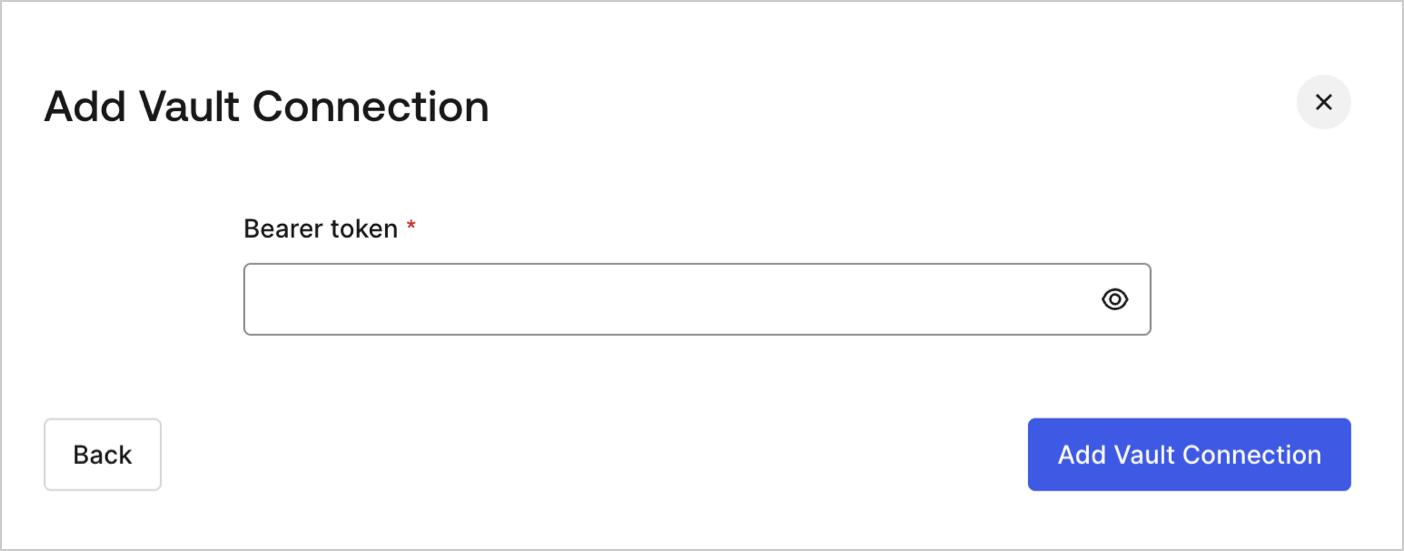
<Frame>
  <img src="https://mintcdn.com/docs-staging-docs-event-stream-action-templates/kMWpM8fj82qTPY2f/docs/images/fr-ca/cdy7uua7fh8z/3X0Qbe9o1bx8q9ctxYZTO2/468b4d9b81bad93ab38b0b01dc773788/http-vault-connection.png?fit=max&auto=format&n=kMWpM8fj82qTPY2f&q=85&s=1107374be5fd7bb0d1745c1e70b30d93" alt="Dashboard > Actions > Forms > Flows > Actions > HTTP Request " data-og-width="1404" width="1404" data-og-height="551" height="551" data-path="docs/images/fr-ca/cdy7uua7fh8z/3X0Qbe9o1bx8q9ctxYZTO2/468b4d9b81bad93ab38b0b01dc773788/http-vault-connection.png" data-optimize="true" data-opv="3" srcset="https://mintcdn.com/docs-staging-docs-event-stream-action-templates/kMWpM8fj82qTPY2f/docs/images/fr-ca/cdy7uua7fh8z/3X0Qbe9o1bx8q9ctxYZTO2/468b4d9b81bad93ab38b0b01dc773788/http-vault-connection.png?w=280&fit=max&auto=format&n=kMWpM8fj82qTPY2f&q=85&s=c67047b83aac2a1d91ddd1cbc8405a70 280w, https://mintcdn.com/docs-staging-docs-event-stream-action-templates/kMWpM8fj82qTPY2f/docs/images/fr-ca/cdy7uua7fh8z/3X0Qbe9o1bx8q9ctxYZTO2/468b4d9b81bad93ab38b0b01dc773788/http-vault-connection.png?w=560&fit=max&auto=format&n=kMWpM8fj82qTPY2f&q=85&s=ae933df237e8d392b6148e5652a80929 560w, https://mintcdn.com/docs-staging-docs-event-stream-action-templates/kMWpM8fj82qTPY2f/docs/images/fr-ca/cdy7uua7fh8z/3X0Qbe9o1bx8q9ctxYZTO2/468b4d9b81bad93ab38b0b01dc773788/http-vault-connection.png?w=840&fit=max&auto=format&n=kMWpM8fj82qTPY2f&q=85&s=938e391b6da19845f4f492aa8fae21de 840w, https://mintcdn.com/docs-staging-docs-event-stream-action-templates/kMWpM8fj82qTPY2f/docs/images/fr-ca/cdy7uua7fh8z/3X0Qbe9o1bx8q9ctxYZTO2/468b4d9b81bad93ab38b0b01dc773788/http-vault-connection.png?w=1100&fit=max&auto=format&n=kMWpM8fj82qTPY2f&q=85&s=4c91c812cb89abcf92bdd3d1ed3c4b12 1100w, https://mintcdn.com/docs-staging-docs-event-stream-action-templates/kMWpM8fj82qTPY2f/docs/images/fr-ca/cdy7uua7fh8z/3X0Qbe9o1bx8q9ctxYZTO2/468b4d9b81bad93ab38b0b01dc773788/http-vault-connection.png?w=1650&fit=max&auto=format&n=kMWpM8fj82qTPY2f&q=85&s=a2d7694612602bc4fb762e085d7392ff 1650w, https://mintcdn.com/docs-staging-docs-event-stream-action-templates/kMWpM8fj82qTPY2f/docs/images/fr-ca/cdy7uua7fh8z/3X0Qbe9o1bx8q9ctxYZTO2/468b4d9b81bad93ab38b0b01dc773788/http-vault-connection.png?w=2500&fit=max&auto=format&n=kMWpM8fj82qTPY2f&q=85&s=70faf916946bb49dc8e5a3fbad2039e6 2500w" />
</Frame>

## Requête HTTP

L’action de requête HTTP vous permet d’appeler un service ou une API externe et de traiter la réponse.
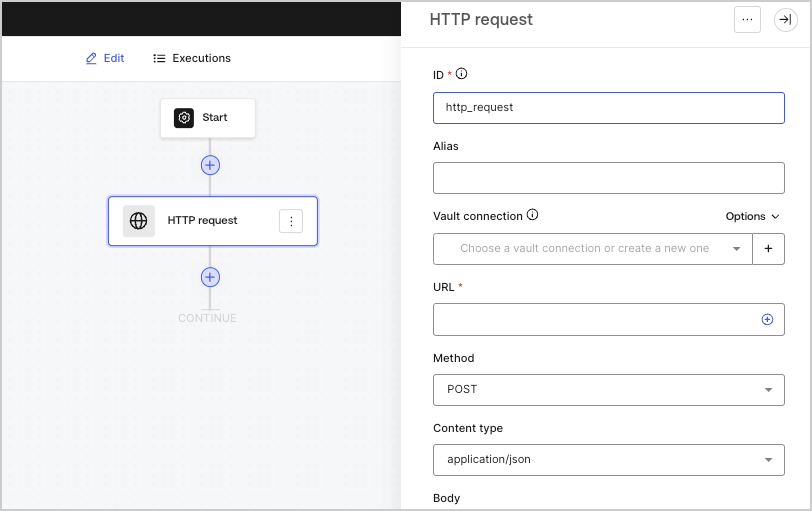
<Frame>
  <img src="https://mintcdn.com/docs-staging-docs-event-stream-action-templates/jicyd3mG2b7ifs66/docs/images/fr-ca/cdy7uua7fh8z/6eIOv07XenyaazzKixigei/2e9efd632137829a8ddb03aacd3197df/http-request-action.png?fit=max&auto=format&n=jicyd3mG2b7ifs66&q=85&s=4830aa55bf5406e69de31e6982dbc2e9" alt="" width="812" height="511" data-path="docs/images/fr-ca/cdy7uua7fh8z/6eIOv07XenyaazzKixigei/2e9efd632137829a8ddb03aacd3197df/http-request-action.png" />
</Frame>

### Paramètres de saisie

| Paramètre                          | Description                                                                                                                                                                     |
| ---------------------------------- | ------------------------------------------------------------------------------------------------------------------------------------------------------------------------------- |
| Méthode                            | La méthode HTTP. Les valeurs disponibles comprennent : <ul> <li>`GET`</li> <li>`POST`</li> <li>`PUT`</li> <li>`PATCH`</li> <li>`DELETE`</li> </ul>                              |
| Type de contenu                    | L’en-tête `Content-Type`. Les valeurs disponibles comprennent : <ul> <li>`application/json`</li> <li>`application/x-www-form-urlenconded`</li> <li>`application/xml`</li> </ul> |
| Corps                              | Le corps de la demande.                                                                                                                                                         |
| En-têtes                           | En-têtes de la demande.                                                                                                                                                         |
| Paramètres d’URL                   | Les paramètres d’URL. Ces paramètres seront automatiquement encodés URL.                                                                                                        |
| Activer l’authentification de base | Permet l’authentification avec nom d’utilisateur et mot de passe.                                                                                                               |

### Objet de sortie

| Propriété | Type    | Description                                                   |
| --------- | ------- | ------------------------------------------------------------- |
| `headers` | Objet   | Les en-têtes de la réponse.                                   |
| `body`    | Objet   | Le corps de la demande.                                       |
| `status`  | Nombre  | The code d’état de la réponse.                                |
| `success` | Booléen | Renvoie `true` ou `false` basé sur le `status` de la réponse. |

### Exemple d’objet de sortie

```javascript lines theme={null}
{
  "headers": {
    ...
  },
  "status": 200,
  "body": {
    ...
  },
  "success": true
}
```
